AI agents are becoming more powerful, but simply adding more agents does not automatically make a workflow better.
The real skill is learning how to structure the work.
Instead of making an AI agent do:
A → B → C → D → E
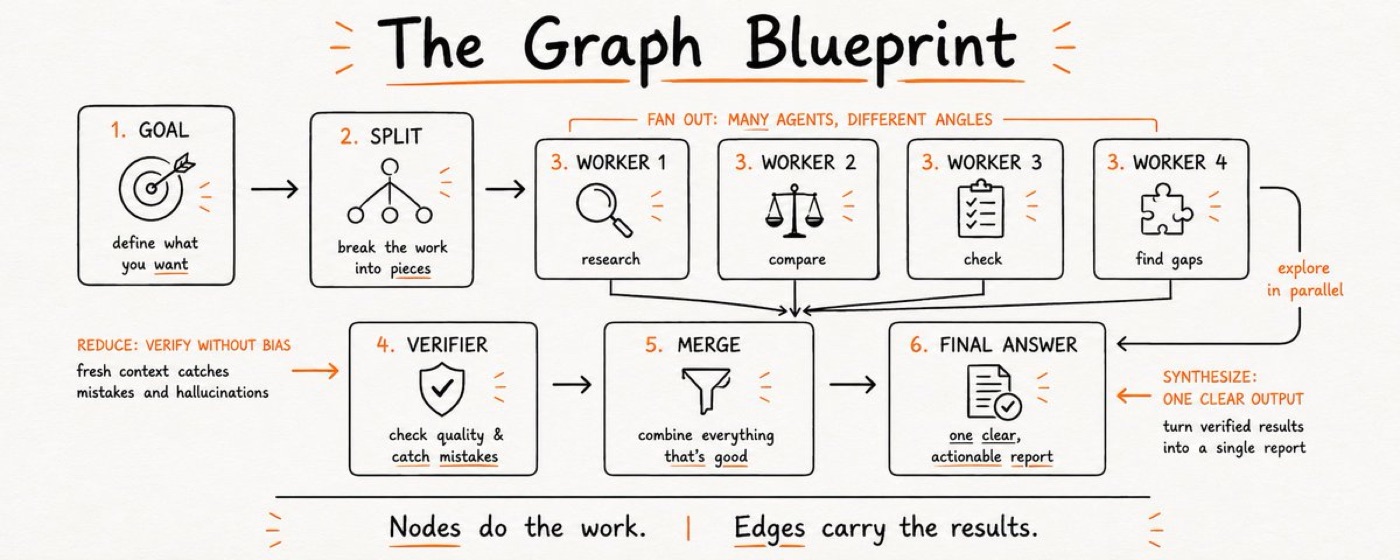
you can design a workflow where independent tasks run at the same time and their results are combined later.
This is the basic idea behind Graph Engineering.
What is Graph Engineering?
Think of an AI workflow as a graph. A graph has two simple parts:
For example, “Research competitor → Write comparison → Review article → Final answer” is a graph. Each box is a node. Each arrow means: “This task needs the result of the previous task.”
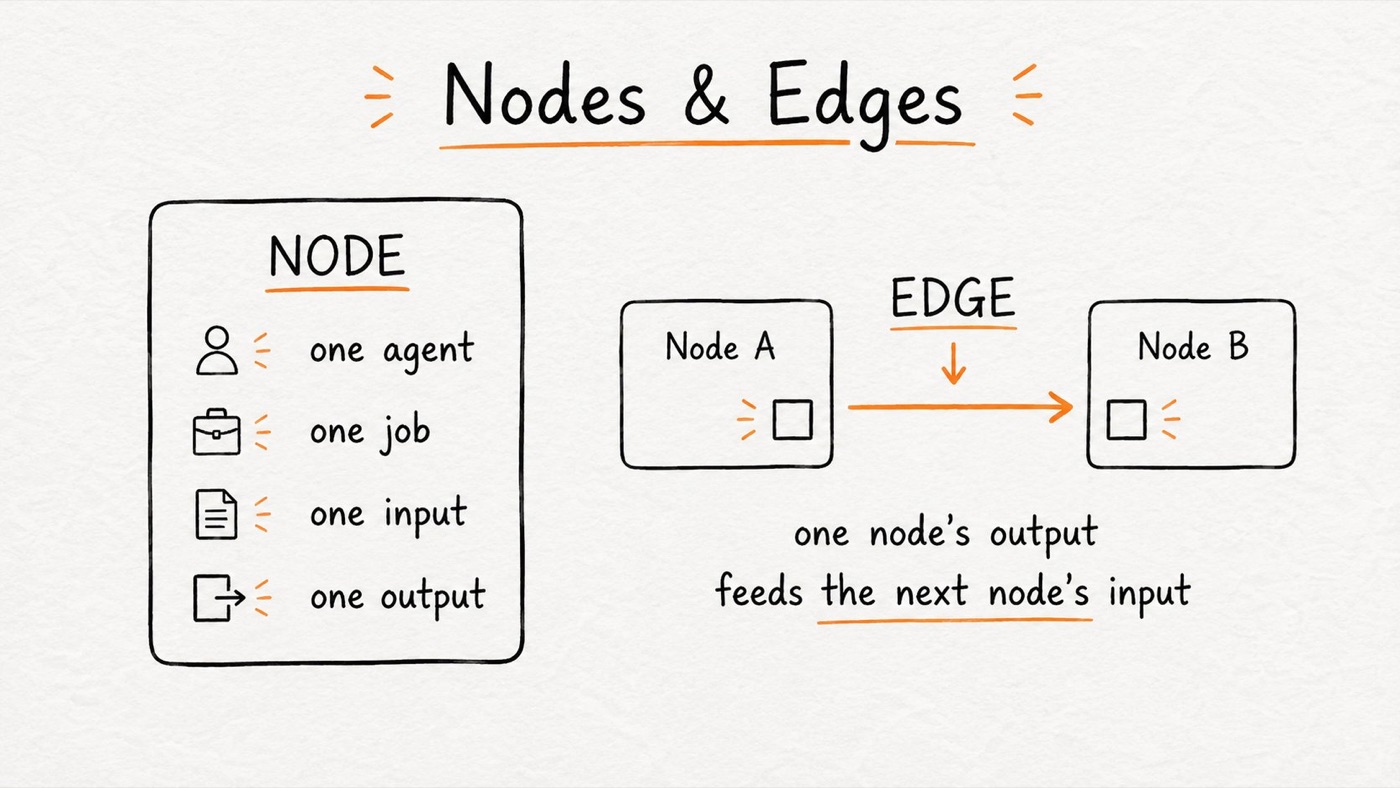
The important part is that every node should have a clear job, input, and output.
INPUT: Competitor name + URL
OUTPUT: Price + plan + source + date
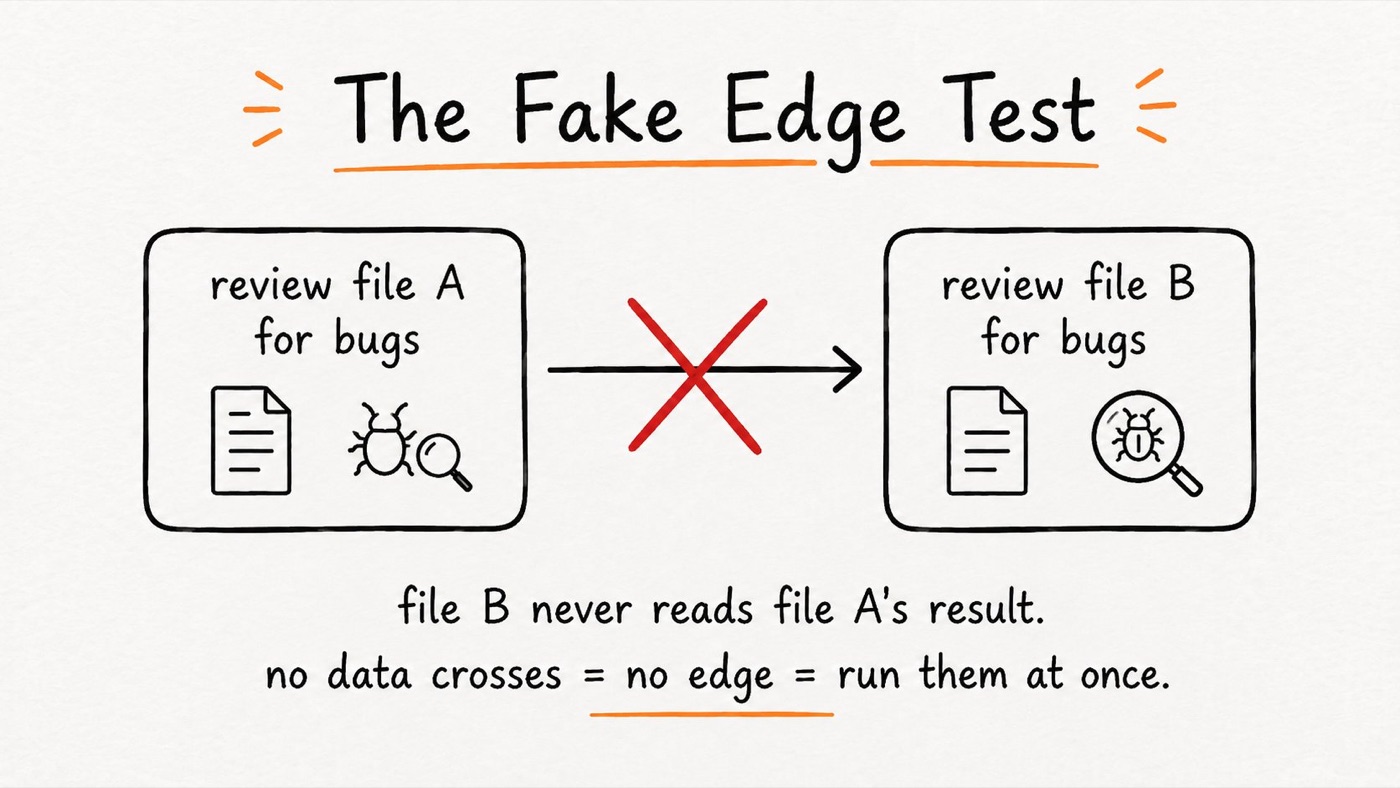
The most important question: does this dependency actually exist?
For every arrow, ask: Does this task actually need the result from the previous task?
If the answer is yes, keep the dependency. If the answer is no, those tasks can probably run in parallel.
For example, reviewing file B does not require the result of reviewing file A. There is no real dependency, so both reviews can run at the same time.
Don’t make tasks wait when they don’t need to.
Your current AI workflow is already a graph. “Do A, then B, then C, then D” creates A → B → C → D. But if B, C, and E are independent, redesign it so they run together before the final step.
The diamond pattern
One of the most useful patterns is the diamond:
- Fan outSplit the work into independent tasks.
- Run in parallelLet multiple agents work at the same time.
- ReduceRemove duplicates or unnecessary information.
- VerifyCheck the results independently.
- SynthesizeUse one final agent to produce the answer.
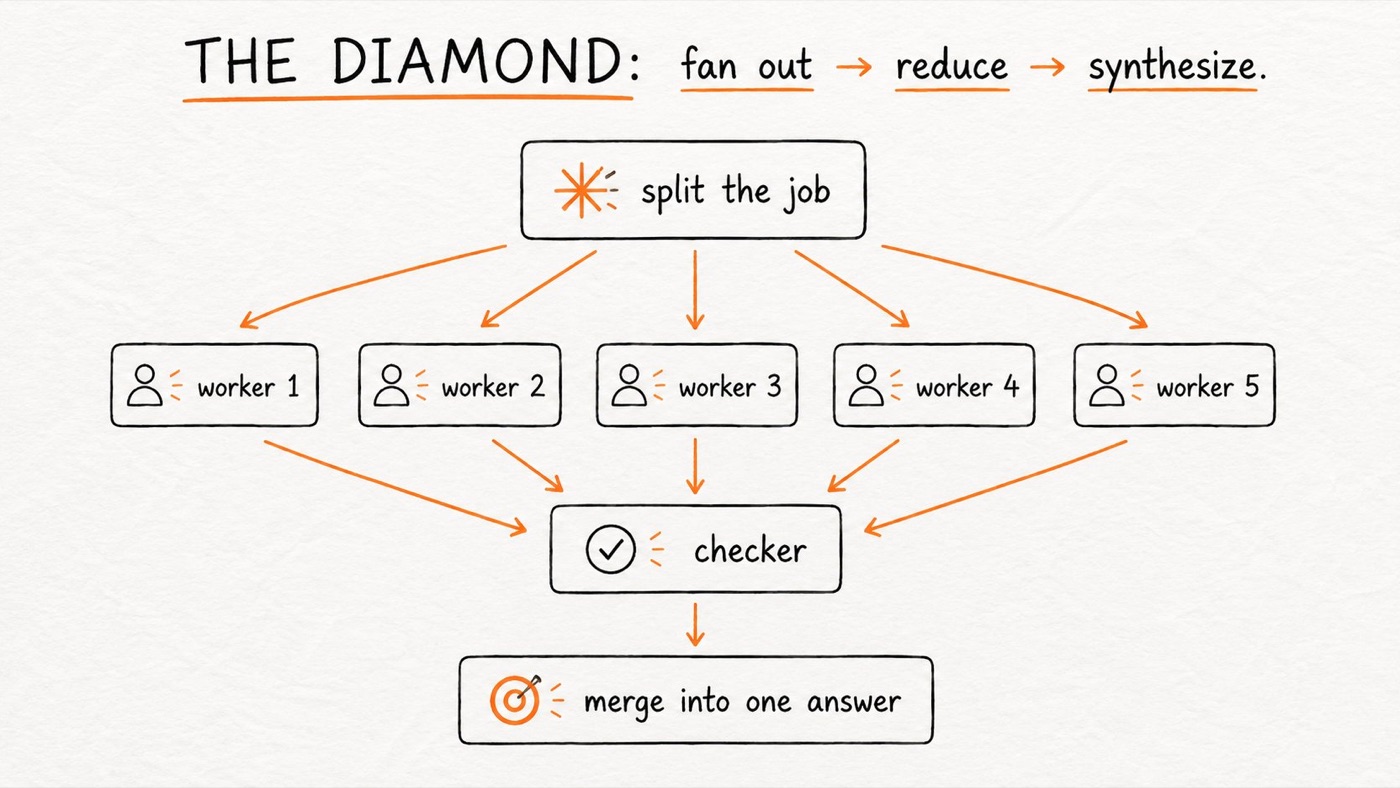
For example, when researching a new market, separate agents can investigate competitor pricing, customer complaints, feature gaps, and market trends. They can all work simultaneously. Another step combines the findings and produces the final report.
Don’t let the same agent check its own work
If an AI agent researches something and then you ask the same agent, “Are your findings correct?”, you may not get a truly independent review.
Instead, use a separate verifier with a fresh context. The verifier should receive the finding, not the researcher’s entire conversation.
It can ask:
- Is the claim correct?
- Is the information current?
- Is the source actually valid?
Only findings that pass verification should reach the final answer. The worker should not be the only judge of its own work.
Where graphs can break
1. Too much information
Imagine 1,000 agents producing results. You cannot simply send all 1,000 outputs to one final agent without exceeding its context window.
2. Hidden dependencies
Two tasks may look independent but still share something. If Agent A and Agent B both write to file X, they cannot safely run at the same time.
Check shared files, shared databases, rate-limited APIs, shared workspaces, and other external resources.
3. Silent failures
In a large parallel workflow, one agent might fail while the rest continue. Every merge step should check: Did every expected task actually return a result? If you expected 20 results but received 18, the workflow should report that.
When should you not use a graph?
Graph engineering is not always better.
The task is small
Fixing one bug probably does not need multiple agents.
The work is sequential
If B truly needs A and C needs B, A → B → C is fine.
You control every step
A simpler workflow may be better when you approve every decision.
You are exploring
Exploratory tasks often benefit from one agent you can guide interactively.
The fake-edge test
Draw every step in your current workflow. Then examine every arrow. Ask: “Does the next task actually need the output of this task?” If yes, keep it. If no, remove it and consider running those tasks in parallel.
Graphs don’t automatically create better judgment
Adding more agents does not automatically make a result more accurate. A complicated graph can have every agent confirm what the previous agent said while confidently producing the wrong answer.
Good AI workflows need external anchors:
- Tests that actually ran
- Real database values
- Real customer behavior
- Verified sources
- Measurable results
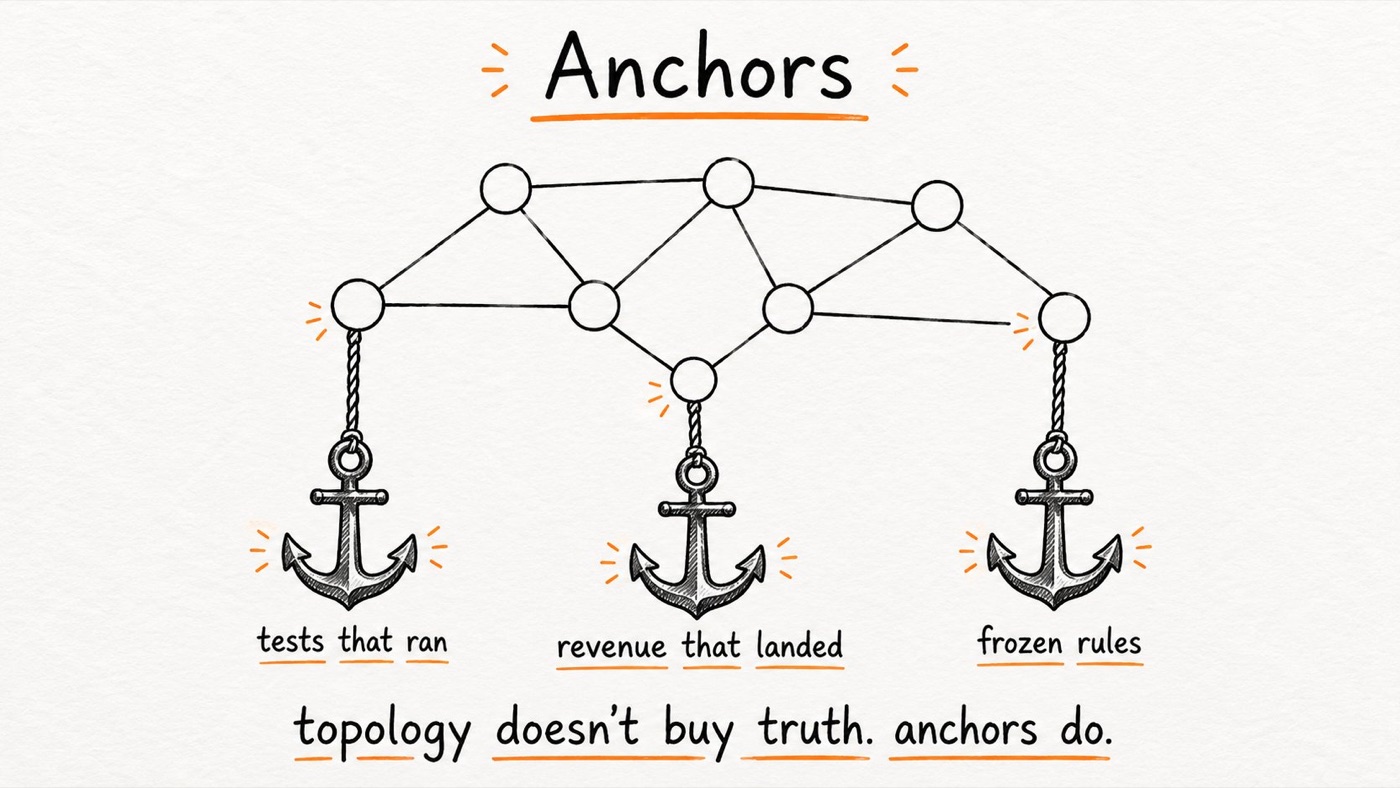
The graph should ultimately connect to things that can be independently checked.
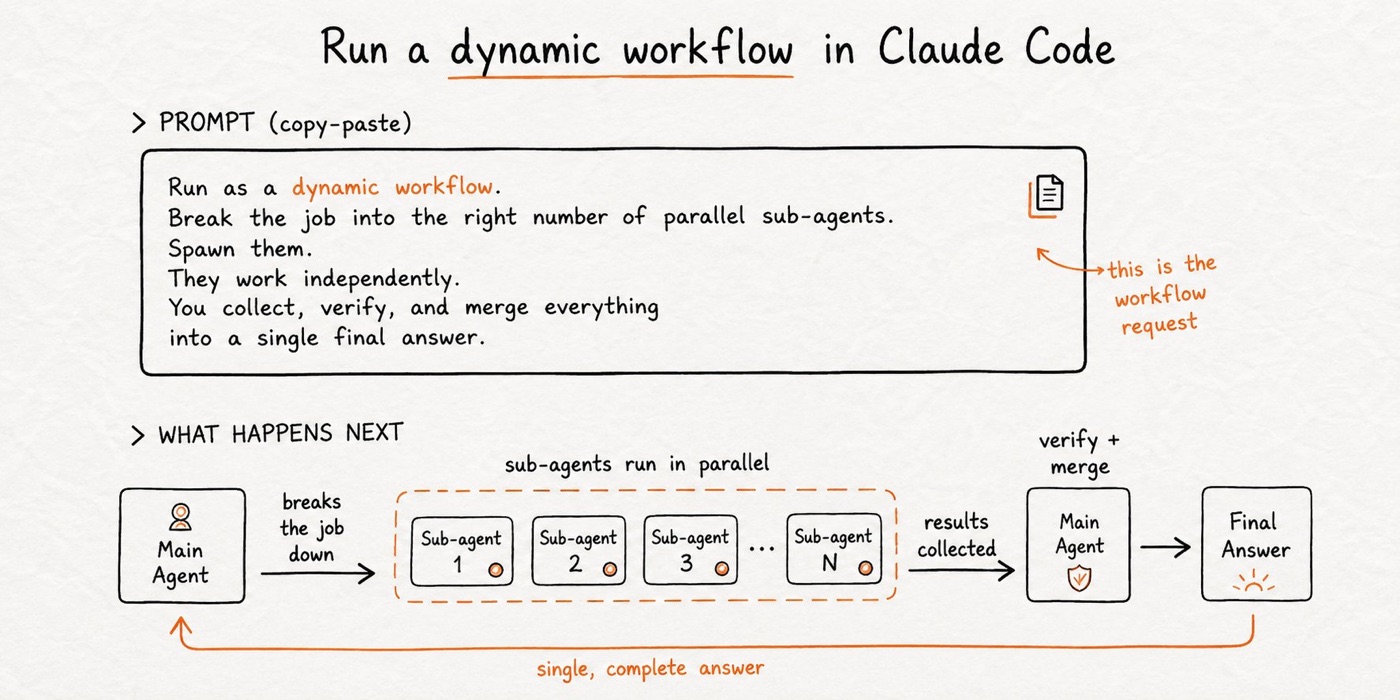
How to think about Graph Engineering
The goal is not “How many agents can I run?” The better question is: Which parts of this work can happen independently?
The agents are not the important part. The dependencies are.
Final takeaway
Graph Engineering is really about designing AI work instead of simply giving instructions to an AI.
- Break large work into bounded tasks.
- Give each task clear inputs and outputs.
- Find tasks that can run independently.
- Run independent work in parallel.
- Reduce results before sending them to a final agent.
- Use independent verification with fresh context.
- Watch for hidden shared resources.
- Detect failed or missing tasks.
- Don’t use graphs when the problem is small or genuinely sequential.
Stop making independent tasks wait for each other.
Before adding another model or another tool, look at the workflow itself. The bottleneck might not be the AI. It might be the way you organized the work.